
vilagai

✓ 48 sourced quotes

Ranked by evidence

Best mesh wifi systems

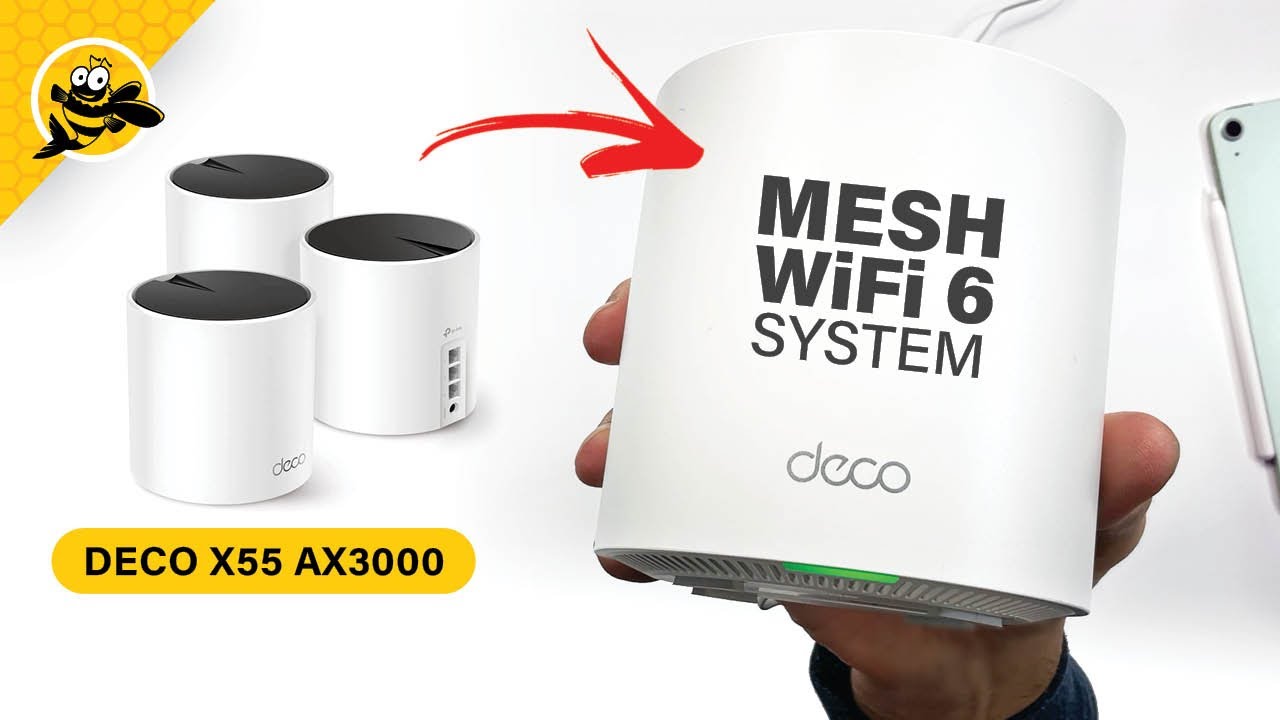
Just picked up the deco x55 ax3000 and it's been a few weeks now. I find that my wifi connection cuts out at random when walking around my house. Just for a second then it connects again at full strength. It almost seems to do the opposite of what it is advertising - not seamlessly switching to other decos.— Reddit post · u/mistytrails · r/HomeNetworking · 2025-11-30 · on the #1 pick, TP-Link Deco X55

  1. 1 TP-Link Deco X55Best value 11 quotes
  2. 2 eero 6+Easiest to live with 11 quotes
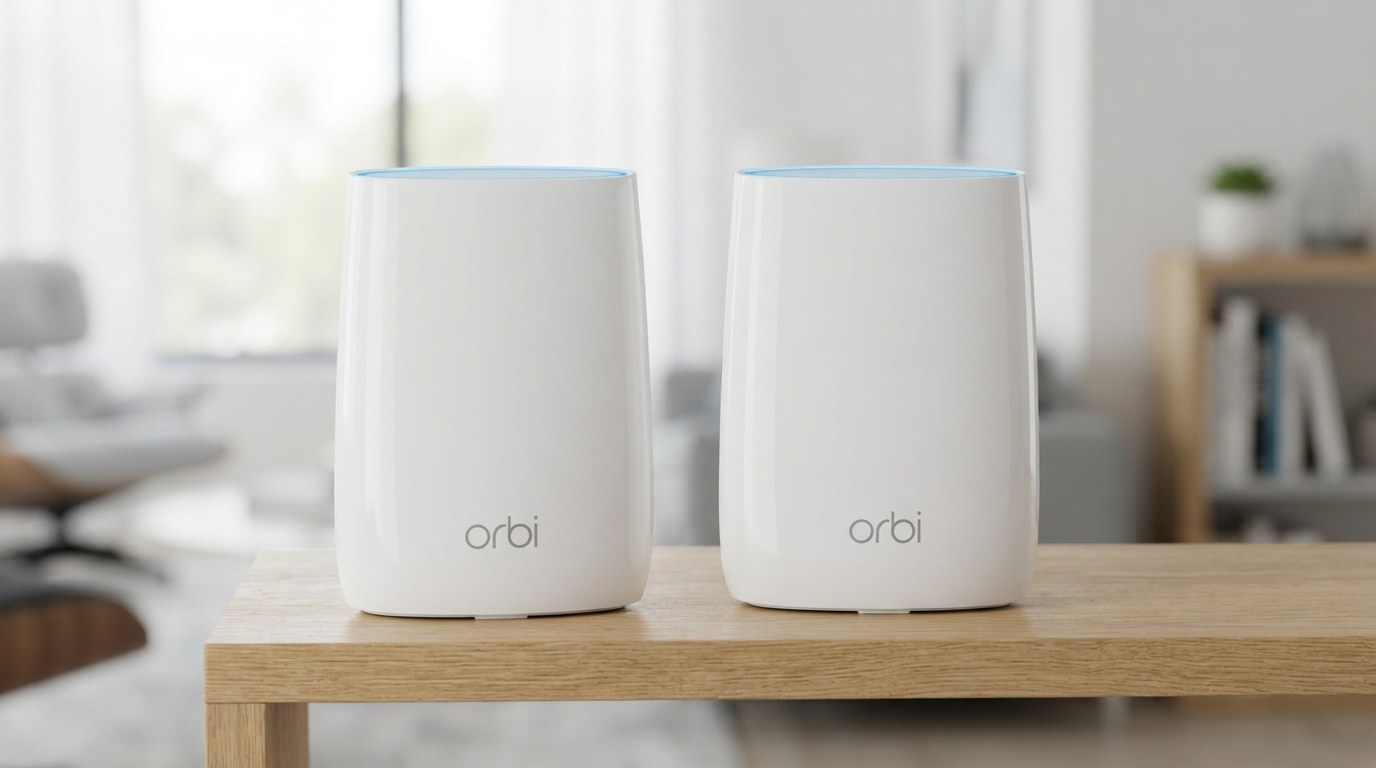
  3. 3 NETGEAR OrbiFastest 10 quotes
  4. 4 Google Nest WiFi ProBest for smart homes 8 quotes
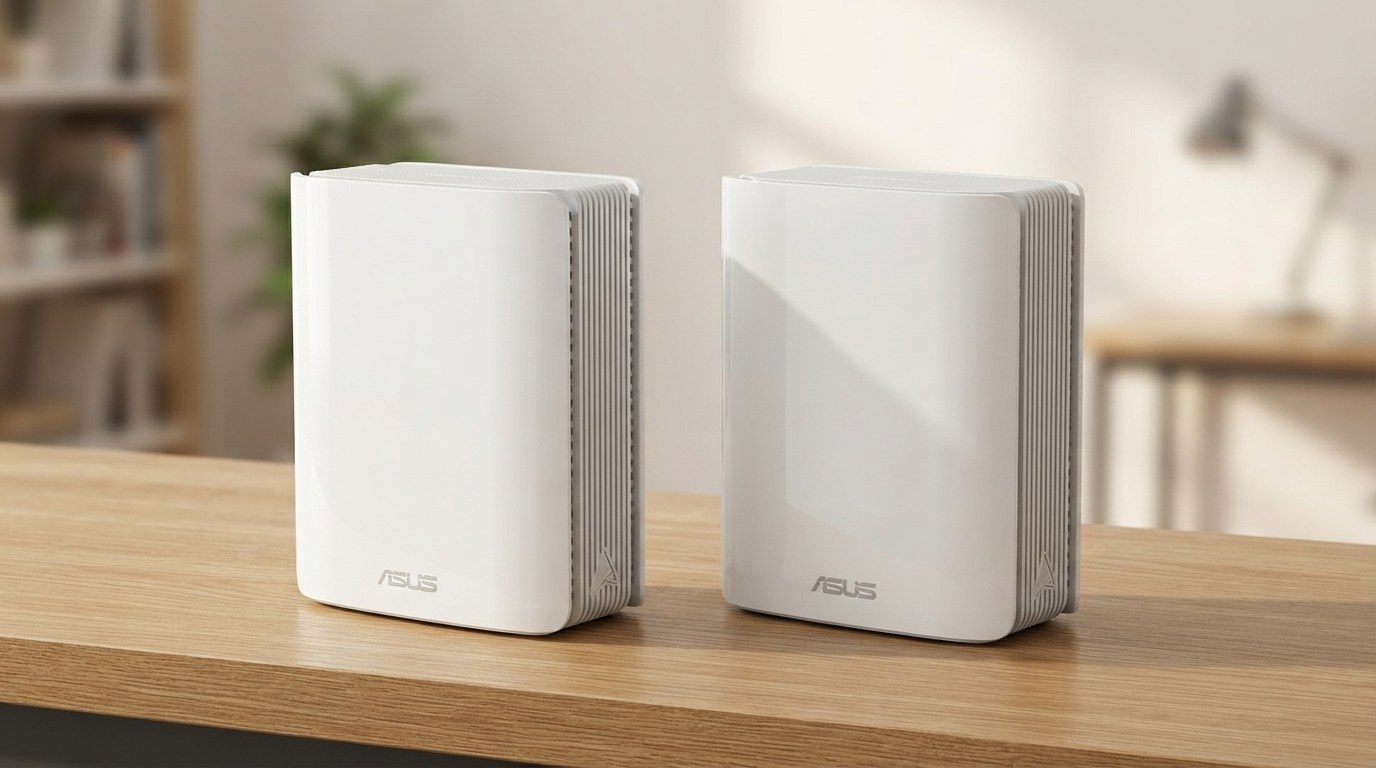
  5. 5 ASUS ZenWiFi BT10Most configurable 8 quotes
1
Best value

TP-Link Deco X55

AX3000, three-pack
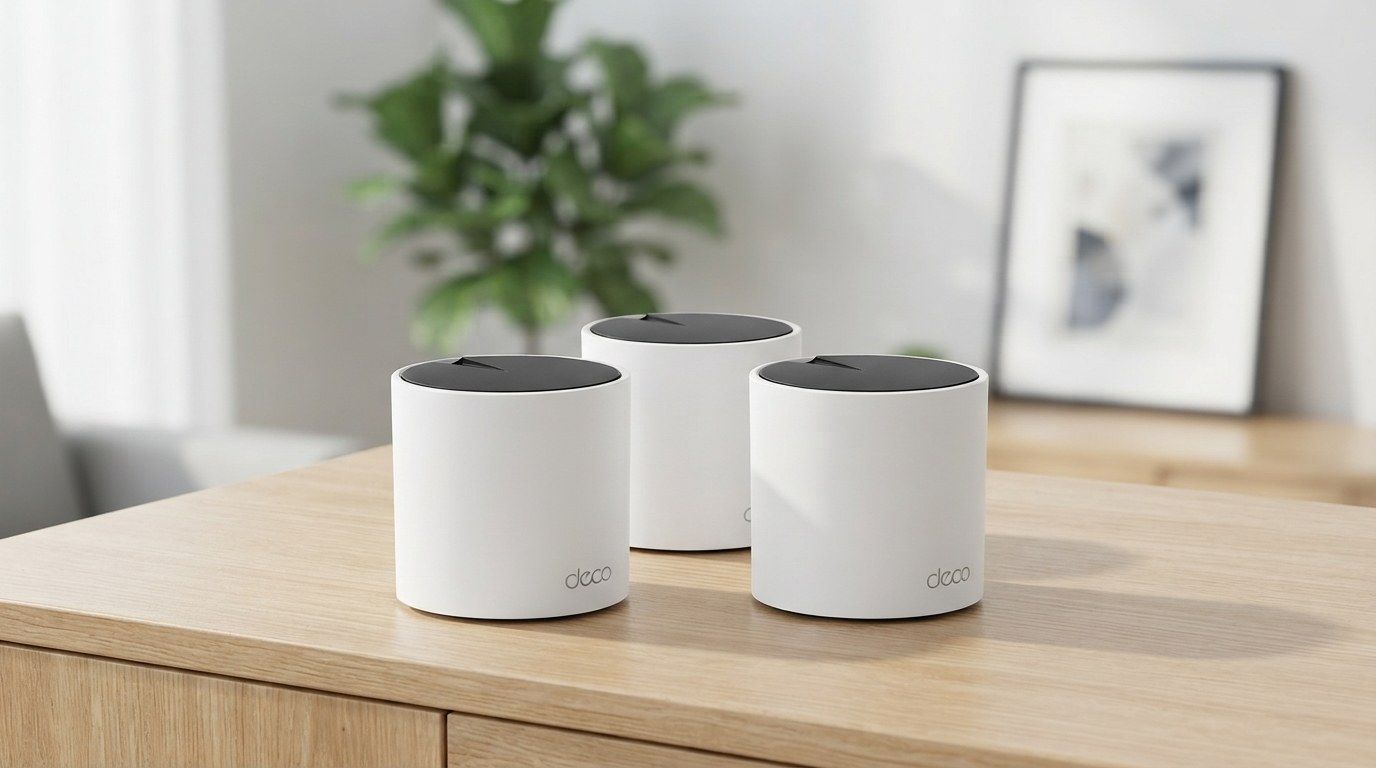
Illustration of TP-Link Deco X55 Illustration of the product
TP-Link Deco X55 — thumbnail of a cited video review ▶ From a video review of this product Check price on Amazon →

affiliate link · goes to an Amazon search for this product

Backhaul
Dual-band; wire it
Subscription
None

Why it ranks here. The Deco X55 is r/HomeNetworking's default budget answer: three nodes for $150 to $300, a painless app, wired backhaul, and owners running ten of them for years. It ranks first on value. Its roaming stutters, it demands a TP-Link cloud account, and a firmware update once broke units in access-point mode.

'Any tplink deco is good, i have 10 running since a few years, with a wired backhaul, mesh is excellent', says one owner. A switcher from ASUS 'could not be happier. Everything is just easier and smoother'. One covered two buildings on a property with six Decos 'placed wherever a power point exists'. Another fixed his wireless 4K cameras with it. The complaints: 'my wifi connection cuts out at random when walking around my house. Just for a second', says a new owner, 'the opposite of what it is advertising'. One could not connect a third node at all. A Deco X60 used as an access point 'stopped working after a firmware update in December 2023'. And 'needing to use an app and setting up an account' irks people. It is dual-band only, so wire it.

What owners like

  • 'i have 10 running since a few years, with a wired backhaul, mesh is excellent'
  • 'Everything is just easier and smoother' for a switcher from ASUS
  • $150 to $300 for three nodes, with controls free

What owners complain about

  • Roaming that 'cuts out at random when walking around my house'
  • An access-point unit that 'stopped working after a firmware update'
  • 'needing to use an app and setting up an account', and dual-band only

Just picked up the deco x55 ax3000 and it's been a few weeks now. I find that my wifi connection cuts out at random when walking around my house. Just for a second then it connects again at full strength. It almost seems to do the opposite of what it is advertising - not seamlessly switching to other decos.— Reddit post · u/mistytrails · r/HomeNetworking · 2025-11-30

6 positive · 2 mixed · 3 negative · 11 voices · ✓ all 11 linked to source

Read all 11 quotes (11 voices)
  • Got mine few days ago.... awesome network it created... all my 4K CCTV wireless is sending notification better now... it fixed my 4K CCTV traffic connection problems.

    YouTube comment · @7gpanda744 · 2022-03-16 · watch the original ↗

  • I bought this mesh thinking it would be better than my Meshforce 7 but I could not connect the 3rd node at all. Tried reset 3x but to no avail. The wireless speed was no better than Meshforce 7. Disappointed as I love my TP Link routers.

    YouTube comment · @JDNAZZZ22 · 2022-03-16 · watch the original ↗

  • I have a Deco X60 connected as access point. It stopped working after a firmware update in December 2023. Seems to me that the TP-Link mesh systems works fine as routers, but not as access points connected to another router. After the problems I’ve had, I feel quite reluctant to buy more TP-Link equipment.

    YouTube comment · @inber · 2022-03-16 · watch the original ↗

  • This would be perfect if it was Tri-Band. Dang.

    YouTube comment · @BigBossIvan · 2022-03-16 · watch the original ↗

  • Just picked up the deco x55 ax3000 and it's been a few weeks now. I find that my wifi connection cuts out at random when walking around my house. Just for a second then it connects again at full strength. It almost seems to do the opposite of what it is advertising - not seamlessly switching to other decos.

    Reddit post · u/mistytrails · r/HomeNetworking · 2025-11-30 · read the original ↗

  • I've been using TP-Link routers for close to a decade. I don't need a mesh network since I live in a -1000 sq ft apartment. TP-Link default passwords are pretty weak which makes them vulnerable if you don't change it. Otherwise I've been quite happy with them, even the longest path in place provides 750mbps. vs 940 in the room.where the router is. I've been pretty happy with their routers. If you think a Deco system is the way to go. I would not hesitate.

    Reddit comment · u/Rattus-Norvegicus1 · r/HomeNetworking · 2026-09-06 · read the original ↗

  • Any tplink deco is good, i have 10 running since a few years, with a wired backhaul, mesh is excellent.

    Reddit comment · u/mrxyz114 · r/HomeNetworking · 2026-09-06 · read the original ↗

  • I just shifted from ASUS to TP-Link (Deco), and could not be happier. Everything is just easier and smoother. Asus started out well, but after a few years it started refusing to connect clients.

    Reddit comment · u/DenraelLeandros · r/HomeNetworking · 2026-09-03 · read the original ↗

  • Absolutely. You can get 3 Deco X60 units for $140 here. Will pay for itself in a little over a year. There are cheaper and more expensive options but this is what I have and I have very few complaints.

    Reddit comment · u/drmcclassy · r/HomeNetworking · 2026-09-03 · read the original ↗

  • Save up some more cash. I have deco xe75 3pk with fiber. Great hardware and very user friendly. I have wired backhaul and get all my sorted at each node. Can’t go wrong with tp link. I just wish they gave end user a few more options like channel selection

    Reddit comment · u/SnooGiraffes9215 · r/HomeNetworking · 2026-09-03 · read the original ↗

  • I use the Deco stuff, covered a whole property with 2 residential buildings , using 6 deco E3 placed wherever a power point exists. What I don't like is needing to use an app and setting up an account.

    YouTube comment · voltare2amstereo · 2025-04-04 · watch the original ↗

2
Easiest to live with

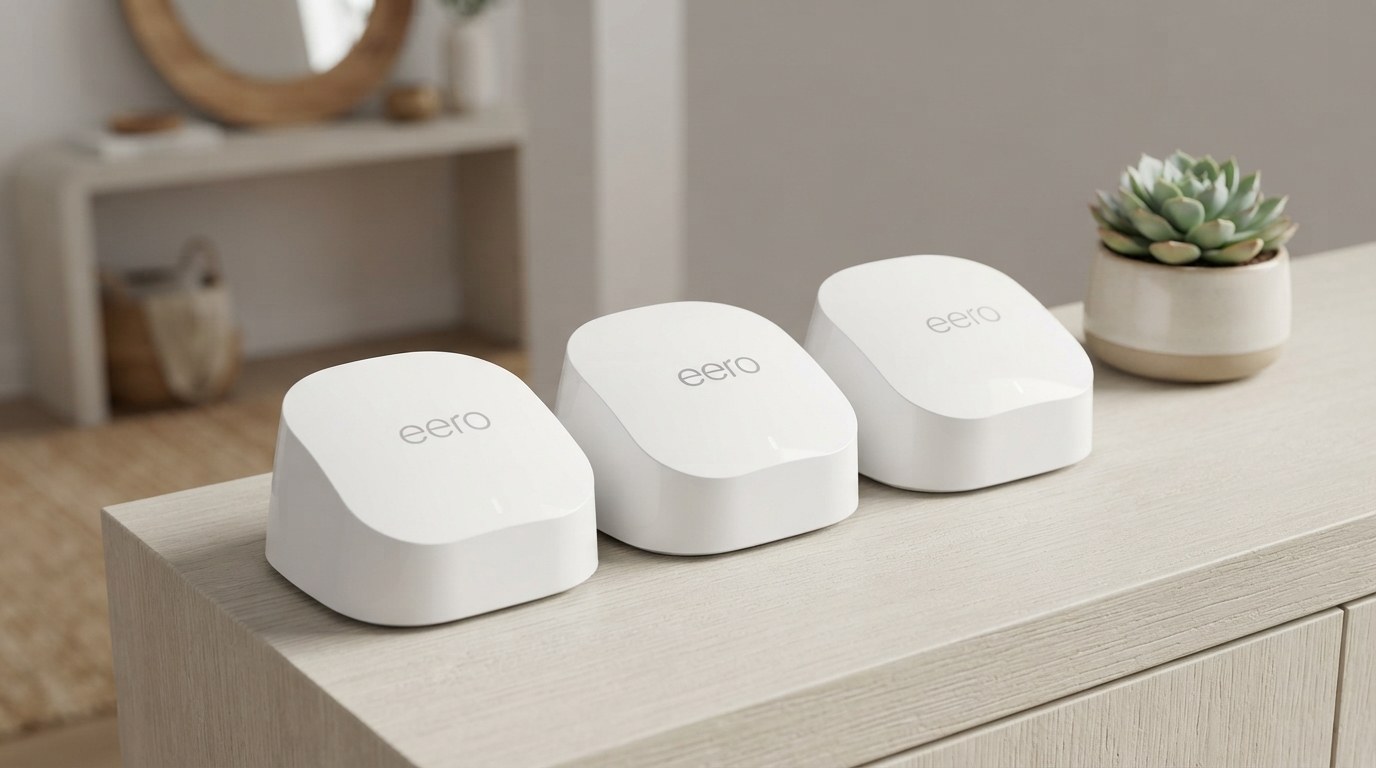
eero 6+

Illustration of eero 6+ Illustration of the product
eero 6+ — thumbnail of a cited video review ▶ From a video review of this product Check price on Amazon →

affiliate link · goes to an Amazon search for this product

Backhaul
Dual-band, wired recommended
Subscription
eero Secure for controls

Why it ranks here. The eero is the mesh you stop thinking about: install it, forget it, and it is one of two systems with HomeKit and Thread built in. It ranks second for that. Its parental controls cost a subscription, its speeds fall short of fibre plans for some, and it will not mix with other brands.

'Eero is one of those devices that I install and forget', says one owner, with a caveat: 'if you have a wired backhaul between eero devices then eero 6e is really good'. An upgrader from an older eero found the move 'amazingly painless'. HomeKit support means it 'adds a firewall on all devices'. Then the paywall: one shopper 'excluded this router from my upgrade list: subscription requested for features and only one port'. A fibre customer with a Pro 6 and three extenders is 'only getting about 1/3 of the 1Gig speed'. Another's 3D printers connect to 'the one in my garage about 40+ feet away' instead of the node five feet off. A gamer gets 'frequent latency spikes' after a year. And it 'Works fine as long as you don't try to mix Eero with non Eero'.

What owners like

  • 'one of those devices that I install and forget'
  • HomeKit and Thread built in; it 'adds a firewall on all devices'
  • An upgrade that was 'amazingly painless'

What owners complain about

  • 'subscription requested for features and only one port'
  • 'only getting about 1/3 of the 1Gig speed' for one fibre customer
  • Devices that pick 'the one in my garage about 40+ feet away', and no mixing with other brands

I have 3d printers that don't connect to the eero 5 feet away, or even the eero 25 feet away, instead they connect to the one in my garage about 40+ feet away. They frequently lose connectivity (especially in these summer months for some reason).— Reddit comment · u/Your_Momma_Said · r/eero · 2026-06-11

4 positive · 1 mixed · 6 negative · 11 voices · ✓ all 11 linked to source

Read all 11 quotes (11 voices)
  • A piece that’s really important about this router that was glossed over is the HomeKit support. With HomeKit, Alexa, and Google home, when you add a device to the network it gets full access to communicate with all other devices... The eero 6 pro is one of only 2 HomeKit enabled routers on the market meaning it adds a firewall on all devices and limits how they can communicate with the network.

    YouTube comment · @tuca3537 · 2021-09-03 · watch the original ↗

  • Thank for video. After viewing, I excluded this router from my upgrade list: subscription requested for features and only one port.

    YouTube comment · @SHANGHAI6618 · 2021-09-03 · watch the original ↗

  • I recently switched ISP from Spectrum to Ting (Fiber Optic) which gives mean almost 1Gig into my house. I also have the Eero Pro6 router along with 3 Eero Extenders for my multi-story 2800sqft home but I'm not getting the ultra high speeds and I don't know why? While the speeds have tripled what I was getting with Spectrum, I only getting about 1/3 of the 1Gig speed coming in. Previous speed test results now range between 200-300 up and down when they should be somewhere between 500-800 on a fiber network.

    YouTube comment · @leshatcher5267 · 2021-09-03 · watch the original ↗

  • I have Comcast 100mbs service at the moment with a 3 point Google mesh system with no problems. Frontier is coming to install fiber service 500mbs in a few days. As a bonus they are giving me a Eero pro 6 router with no extensions. After watching this video, I think I will stick with my Google mesh system and the Eero will stay in the cardboard box:)

    YouTube comment · @LouisBlanchard · 2021-09-03 · watch the original ↗

  • As you said, if you have a wired backhaul between eero devices then eero 6e is really good. Eero is one of those devices that I install and forget.

    YouTube comment · @FawBr · 2023-03-02 · watch the original ↗

  • I’ve read tons of detail reviews and watched numerous videos on mesh networks with special attention to eero... BTW picked up the 3 pack eero pro 6... going from second generation eero pro with beacons to 3 pro 6 was amazingly painless through eero app and easy to do and with the range and speed.

    YouTube comment · @kconnor2371 · 2023-03-02 · watch the original ↗

  • Coming off a 5 yo Netgear Orbi tri-band system, having that extra band for the backhaul is a MUST. I'd love to upgrade to a next gen Orbi, but the prices are insane.

    YouTube comment · @Reyescult · 2023-03-02 · watch the original ↗

  • Doesn’t seem to work anymore. They force you to buy an eero+ subscription so their steaming pile of shit access points continue to function while Internet access is down.

    Reddit comment · u/LowDye · r/eero · 2026-07-04 · read the original ↗

  • I have 3d printers that don't connect to the eero 5 feet away, or even the eero 25 feet away, instead they connect to the one in my garage about 40+ feet away. They frequently lose connectivity (especially in these summer months for some reason).

    Reddit comment · u/Your_Momma_Said · r/eero · 2026-06-11 · read the original ↗

  • Eero 6+ mesh worked well for almost a year, but now I’m getting frequent latency spikes while gaming... While playing League of Legends, everything suddenly stops responding for a few seconds, although the internet does not completely disconnect. It happens approximately every 5-10 minutes.

    Reddit post · u/No-Insect398 · r/HomeNetworking · 2026-09-07 · read the original ↗

  • I have an Eero Pro 7 as my main router and have an Eero 6 connected by a lan cable to the other end of my house. Works fine as long as you don't try to mix Eero with non Eero

    Reddit comment · u/PresentFar9722 · r/eero · 2026-09-05 · read the original ↗

3
Fastest

NETGEAR Orbi

RBK50, or the WiFi 6E series

Illustration of NETGEAR Orbi Illustration of the product
NETGEAR Orbi — thumbnail of a cited video review ▶ From a video review of this product Check price on Amazon →

affiliate link · goes to an Amazon search for this product

Backhaul
Dedicated tri-band channel
Subscription
Netgear Armor for security

Why it ranks here. The Orbi is the fast one: a dedicated backhaul band and owners on two-gig plans seeing 700 to 800 megabits on their devices. It ranks third because a three-pack costs $400 to $500 before Netgear's security subscription, and power blips and firmware updates make it reboot.

'orbi was all out speed like always max speeds while eero is like here 100mb thats good enough for your phone', says an owner who switched to eero and regrets it. A two-year owner of an AX4200 'absolutely love it'. On a two-gig plan another sees '700-800 down on most devices and 500-700 up'. One new buyer says 'my god my wifi is amazing. Way cheaper than eero'. Then: 'That price though', and 'I absolutely would not pay for extra subscriptions if I'm paying that much!'. 'Power blip is an issue with all netgear routers', says one owner who runs a UPS. Another's online backups kept stopping when the Orbi dropped, so he moved to Linksys.

What owners like

  • 'orbi was all out speed like always max speeds'
  • '700-800 down on most devices and 500-700 up' on a two-gig plan
  • A dedicated backhaul band, and a shape people leave in the living room

What owners complain about

  • 'That price though': $400 to $500 for three
  • 'I absolutely would not pay for extra subscriptions if I'm paying that much!'
  • 'Power blip is an issue with all netgear routers'; owners run a UPS

I used to have orbi wifi 5 few years ago then i switched to eero pro 6e but i regret ever since. Eero is good and consistent but orbi was all out speed like always max speeds while eero is like here 100mb thats good enough for your phone.— YouTube comment · @2013TombRaider · 2022-12-02

4 positive · 3 mixed · 3 negative · 9 voices · ✓ all 10 linked to source

Read all 10 quotes (9 voices)
  • That price though 😢.

    YouTube comment · @Dariuslynel · 2022-12-02 · watch the original ↗

  • Great video! I’ve had my Netgear CM1200/Orbi AX4200 set up for 2 years now, and I absolutely love it personally.

    YouTube comment · @FroZoneDeNiro · 2022-12-02 · watch the original ↗

  • I absolutely would not pay for extra subscriptions if I’m paying that much! Truly is one of the main reasons I’m considering the Asus ZenWiFi Pro system!

    YouTube comment · @JCod306 · 2022-12-02 · watch the original ↗

  • Power blip is an issue with all netgear routers in my experience. That's why I always use a UPS for both my modem and router.

    YouTube comment · @NiranjanNanda · 2022-12-02 · watch the original ↗

  • Great video. We love ours. The new firmware they pushed out last week makes the connections even more solid. We pay for 2G down and 1g up. Easily see 700-800 down on most devices and 500-700 up.

    YouTube comment · @rythtguy · 2022-12-02 · watch the original ↗

  • I had an orbi a couple of years ago and loved the performance when it worked. However, due to the power dropping periodically it meant that my online backups to Backblaze would stop and I'd have to manually start them again which was completely pointless and put a bad taste in my mouth. I now use the Linksys and they are solid.

    YouTube comment · @danielrizzo8293 · 2022-12-02 · watch the original ↗

  • I used to have orbi wifi 5 few years ago then i switched to eero pro 6e but i regret ever since. Eero is good and consistent but orbi was all out speed like always max speeds while eero is like here 100mb thats good enough for your phone.

    YouTube comment · @2013TombRaider · 2022-12-02 · watch the original ↗

  • I got this recently and my god my wifi is amazing. Way cheaper than eero

    YouTube comment · @Fgghgrgrhgfnvkmd · 2022-12-02 · watch the original ↗

  • If ever there was a product that exceeded my expectations, the Orbi AC3000 (3 hub system) is it

    other · Amazon customer (via review aggregation) · 2026-09-10 · read the original ↗

  • constantly hanging up and slower than the router it's connected to... Very finicky about staying connected to devices

    other · Amazon customer (via review aggregation) · 2026-09-10 · read the original ↗

4
Best for smart homes

Google Nest WiFi Pro

6E

Illustration of Google Nest WiFi Pro Illustration of the product
Google Nest WiFi Pro — thumbnail of a cited video review ▶ From a video review of this product Check price on Amazon →

affiliate link · goes to an Amazon search for this product

Backhaul
Tri-band, 6 GHz backhaul
Subscription
None

Why it ranks here. The Nest WiFi Pro is the smart-home mesh: a Thread border router inside, a Google Home setup, a pill you can leave on a shelf. It ranks fourth because long-term owners describe a sluggish admin page, nodes that show disconnected when they are not, and a Steam download that takes the whole house offline.

A 2018 Google WiFi owner says 'it has worked flawlessly, very easy initial setup and it just works', and is eyeing the Pro. A tester found it 'faster then my Eero Pro 6 system. Also looks so much better too'. Then the long-term owners. 'The router's admin interface is incredibly sluggish', says one: 'Every time I started downloading anything from Steam, the internet and Wi-Fi would go down for every device in my house'. Another: 'they ruined it a couple years ago with an update', and he restarts it every day or two. A third describes nodes that say 'disconnected' in one view and connected in another. One owner of both says the older Nest 'is older but more stable than Nest Pro'. The included Cat5e cable capped one owner at 750 megabits until he swapped it.

What owners like

  • 'very easy initial setup and it just works' for an owner since 2018
  • 'faster then my Eero Pro 6 system. Also looks so much better too'
  • A Thread border router for Matter devices, no subscription

What owners complain about

  • A Steam download and 'the internet and Wi-Fi would go down for every device in my house'
  • 'The router's admin interface is incredibly sluggish'
  • 'they ruined it a couple years ago with an update'; nodes that falsely show disconnected

The router’s admin interface is incredibly sluggish; trying to view active clients or do anything with it is literally torture... And then I ran into so-called buffer bloating. OH MY GOD. Every time I started downloading anything from Steam, the internet and Wi-Fi would go down for every device in my house. I’m amazed that a router costing that much couldn’t handle downloading a game from Steam.— Reddit post · u/BoatParticular · r/GoogleWiFi · 2026-09-02

2 positive · 1 mixed · 5 negative · 8 voices · ✓ all 8 linked to source

Read all 8 quotes (8 voices)
  • I had the google Wi-Fi 3-pack (hockey pucks) since Sep 2018 paid $299. I set up all 3, in my 2300 sq ft single story home... it has worked flawlessly, very easy initial setup and it just works... I recently picked up a couple of Wi-Fi 6E capable devices... I'm thinking about upgrading to the Nest WiFi Pro...3 pack $279.99...I need a sale...LOL

    YouTube comment · @wiredawg2005 · 2023-04-28 · watch the original ↗

  • Being a fan of Nest products, I was looking forward to providing seamless wifi throughout my house using the Nest Wifi Pro. I have a Virgin 3 Router and followed the Google set up instructions. For the best part of a week, I persisted with different configurations to enjoy seamless wifi, however, the mesh kept disconnecting and dropping out. After much frustration and disappointment, I gave up and went back to using wifi extenders, regrettably returning the product.

    YouTube comment · @Dosa72 · 2023-04-28 · watch the original ↗

  • I've been testing this and found it to be faster then my Eero Pro 6 system. Also looks so much better too.

    YouTube comment · @marksapollo · 2023-04-28 · watch the original ↗

  • We are constantly experiencing connectivity issues with the pro and very short-distance coverage

    YouTube comment · @Shc-w8i · 2023-04-28 · watch the original ↗

  • I own both Google Nest and Google Nest Pro. Nest is older but more stable than Nest Pro. I had to restart Nest Pro points sometimes... A minor thing is that Nest Pro came with cat5e cable, it limits performance on 1Gbps network down to ~750Mbps, after change to cat6 cable, it’s up to 950Mbps.

    YouTube comment · @minhkhoa4783 · 2023-04-28 · watch the original ↗

  • The router’s admin interface is incredibly sluggish; trying to view active clients or do anything with it is literally torture... And then I ran into so-called buffer bloating. OH MY GOD. Every time I started downloading anything from Steam, the internet and Wi-Fi would go down for every device in my house. I’m amazed that a router costing that much couldn’t handle downloading a game from Steam.

    Reddit post · u/BoatParticular · r/GoogleWiFi · 2026-09-02 · read the original ↗

  • I used to really enjoy how stable mine was. Until they ruined it a couple years ago with an update. Since them, points would go offline regularly. Got so bad I was having to restart once a day or every other day.

    Reddit comment · u/smotrs · r/GoogleWiFi · 2026-09-02 · read the original ↗

  • My favorite was depending on which way you were looking at access points… it would say an AP was offline.. then you go to view the AP a different way and it would show it is connected… or you run the speed test between points and it would say all the points are inter connected at excellent speeds… and you go back to the AP details….. disconnected.

    Reddit comment · u/bippy_b · r/GoogleWiFi · 2026-09-02 · read the original ↗

5
Most configurable

ASUS ZenWiFi BT10

WiFi 7

Illustration of ASUS ZenWiFi BT10 Illustration of the product
ASUS ZenWiFi BT10 — thumbnail of a cited video review ▶ From a video review of this product Check price on Amazon →

affiliate link · goes to an Amazon search for this product

Backhaul
Dedicated band with WiFi 7 MLO
Subscription
None

Why it ranks here. The ZenWiFi BT10 is ASUS's WiFi 7 flagship for tinkerers: bind any device to any node, every feature free, no subscription. It ranks last because it costs the most, the three-pack costs more per unit than buying one plus two, and owners report satellites dropping even over wired backhaul.

'My BT10 setup has been awesome', says one owner. Another found that binding smart lights to one access point 'has made it so that my Smart lights turn on and off the way that they should'. Fans 'prefer Asus AiMesh Networks' because 'They have basically all the features for free'. Then the pricing: 'What the 3 pack has the highest unit price?', with the one-pack at $360, the two at $345 and the three at $433. Meshing a ZenWiFi with other ASUS routers over wire gave one owner 'Constant wifi drops', twice: 'Asus is half baked'. Another's $1,100 ASUS system 'goes down at least once a month despite multiple resets'. Recent Amazon reviews mention 'satellites dropping out, MLO being unstable'. And ASUS 'do not play well with verizon fios', says a returner.

What owners like

  • Bind devices to a node: smart lights now 'turn on and off the way that they should'
  • 'They have basically all the features for free'
  • WiFi 7 with multi-link operation

What owners complain about

  • 'What the 3 pack has the highest unit price?'
  • 'Constant wifi drops' even over wired backhaul: 'Asus is half baked'
  • A $1,100 setup that 'goes down at least once a month despite multiple resets'

I bought asus routers on the idea they were solid. Bought the ROG Rapture GT-AX11000 and the 2 pack of boosters that go along with it. The system goes down at least once a month despite multiple resets, checking for firmware updates, etc. the whole system cost over $1100 and I’m so embarrassed I recommended this to my father in law.— YouTube comment · @matteoplaxton8476 · 2025-04-04

3 positive · 5 negative · 8 voices · ✓ all 8 linked to source

Read all 8 quotes (8 voices)
  • What the 3 pack has the highest unit price? 1p-360$ 2p-345$ 3p-433$

    YouTube comment · @erkistan · 2025-04-04 · watch the original ↗

  • I bought asus routers on the idea they were solid. Bought the ROG Rapture GT-AX11000 and the 2 pack of boosters that go along with it. The system goes down at least once a month despite multiple resets, checking for firmware updates, etc. the whole system cost over $1100 and I’m so embarrassed I recommended this to my father in law.

    YouTube comment · @matteoplaxton8476 · 2025-04-04 · watch the original ↗

  • Tried to Mesh 1 x Zenwifi bt8 with Asus rt-be96u over wired backhail. Constant wifi drops. Tried to mesh be96u with be92u over wired. Constant drops... So I'm getting Eero Max 7. Asus is half baked.

    YouTube comment · @jahagafut · 2025-04-04 · watch the original ↗

  • I have the ZenWiFi BT10 at my house and I had no idea that you could bind certain devices to an AP. I have a lot of IOT devices and have a dedicated IOT network. By going in and setting certain IOT devices to be bound to a certain AP has made it so that my Smart lights turn on and off the way that they should.

    YouTube comment · @JohnAdams-sn7xn · 2025-04-04 · watch the original ↗

  • My BT10 setup has been awesome

    YouTube comment · @ColinCampbell-rd9xl · 2024-11-30 · watch the original ↗

  • Just a heads up. Asus routers in general do not play well with verizon fios. I am returning a BT8 system tomorrow. I get the same speeds wirelessly with my olddddd orbi mesh system. So bad to best buy tomorrow in exchange for a deco 16000 system.

    YouTube comment · @prostreetcamaro · 2024-11-30 · watch the original ↗

  • Honestly, I prefer Asus AiMesh Networks... They have basically all the features for free...

    YouTube comment · @hschen75 · 2022-12-02 · watch the original ↗

  • I have been looking into the ASUS ZenWifi BT10 and on paper it looks perfect for me... However, I have been looking at Amazon reviews and there are quite a lot mentioning poor wireless mesh connectivity. Recent reviews (even from this month) have people mentioning satellites dropping out, MLO being unstable and other issues.

    Reddit post · u/NakedMoleRatt · r/HomeNetworking · 2026-07-26 · read the original ↗

Frequently asked questions

Do I need Ethernet cables between the nodes?

No, they work wirelessly out of the box. Nearly every experienced owner says to wire them if you can. A wired backhaul roughly doubles real throughput and removes the slowdown of satellites relaying traffic over the air.

Why am I not getting my full gigabit speed?

The commonest complaint across every brand. Usual causes: wireless backhaul, old Cat5e cables capping the ports, a double NAT from an ISP gateway still in router mode, or a budget dual-band model like the base eero or entry Deco that runs out of headroom above 500 or 600 megabits.

Is there a subscription?

eero and Orbi lock parental controls, ad-blocking and security behind paid plans, and it annoys their owners. TP-Link Deco and ASUS include the equivalent free.

How many nodes do I need?

Roughly one per 1,500 square feet, or one per floor. A two or three-storey house of 2,000 to 3,000 square feet is covered by a three-pack. A flat or a single-floor home under 1,500 square feet needs one or two.

How this ranking was made

Every quote on this page links to the post or video it came from, so you can read it in context. ✓ 48 quotes from 47 distinct voices.